Many people pursue not only visual enjoyment but also auditory comfort. After a tiring day, they often turn to YouTube videos and listen to relaxing music to relieve eye strain and alleviate fatigue. Many students also rely on various instructional videos to improve their listening skills and aid their studies. For convenience, many people choose to download videos, but this practice is not permitted by YouTube. YouTube's prohibition on arbitrary video downloading has fueled a strong demand for converting YouTube videos to MP3s. Recognizing this strong demand, we designed SnapAny, a computer application that addresses this problem.
So what does it cost? The honest answer has two halves. If all you want is the MP3, the free route is the browser: our YouTube to MP3 tool converts the audio on your own device, with no account and nothing to install. The desktop app is for people who want their downloads sitting in a folder on the computer — every device gets a free allowance to try it out, format conversion is free to use, and batch downloads and playlists are part of the Premium plan.
I can also confidently explain this application to everyone. The videos, audios, and images downloaded by it are all high in clarity and of great quality. They are as clear in resolution as the videos on the platform, the audio is smooth without stuttering or background noise, and the image restoration quality is also very high.
You might still be wondering how to get started — don’t worry! Let me walk you through the simple steps to use SnapAny to convert YouTube videos into MP3 files.
🧭 Step-by-Step Guide:
1. Visit the SnapAny website
Once you’re on the site, select your operating system (Windows or macOS) and download the SnapAny app to your desktop.
2. Choose MP3 as the output format
Open the app and select MP3 as your desired audio format.
3. Copy the YouTube video link
Find the YouTube video you want to convert and copy its link.
4. One-click conversion — done in seconds
Paste the link into SnapAny, click the convert button, and wait a few seconds. The app will quickly convert the video into a high-quality MP3 file.
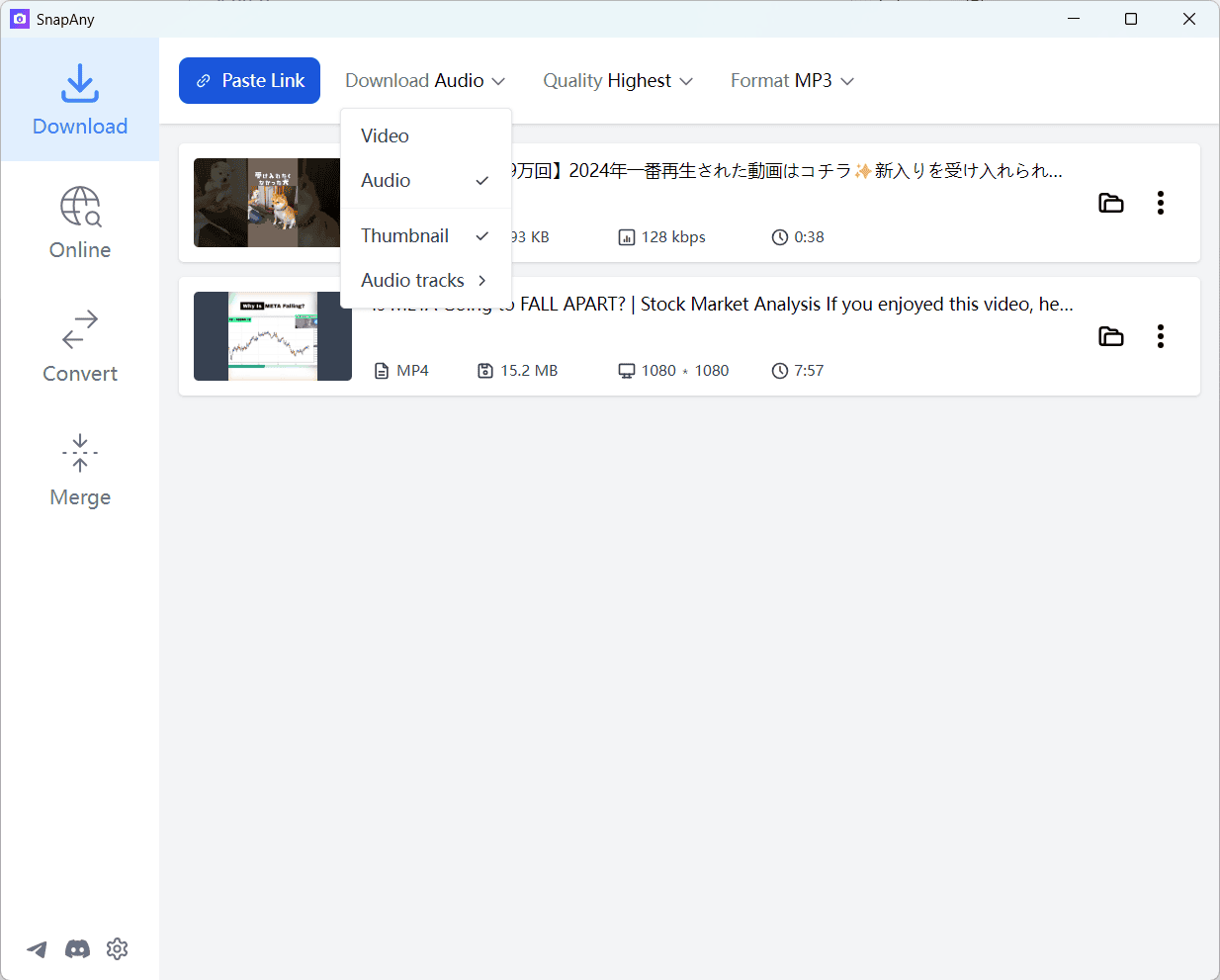
It’s that easy. The process is quick and convenient, saving you time and hassle. And if you have a whole list of videos to get through, the desktop app queues the links and works through them one after another — batch downloads come with Premium.
We hope you’ll enjoy using SnapAny — give it a try and experience just how effortless it can be to convert your favorite YouTube content into audio!