As Instagram becomes more and more popular among young people and the content on Instagram continues to innovate, more and more people want to download videos to watch them offline during their commute, or to share them with friends and family.
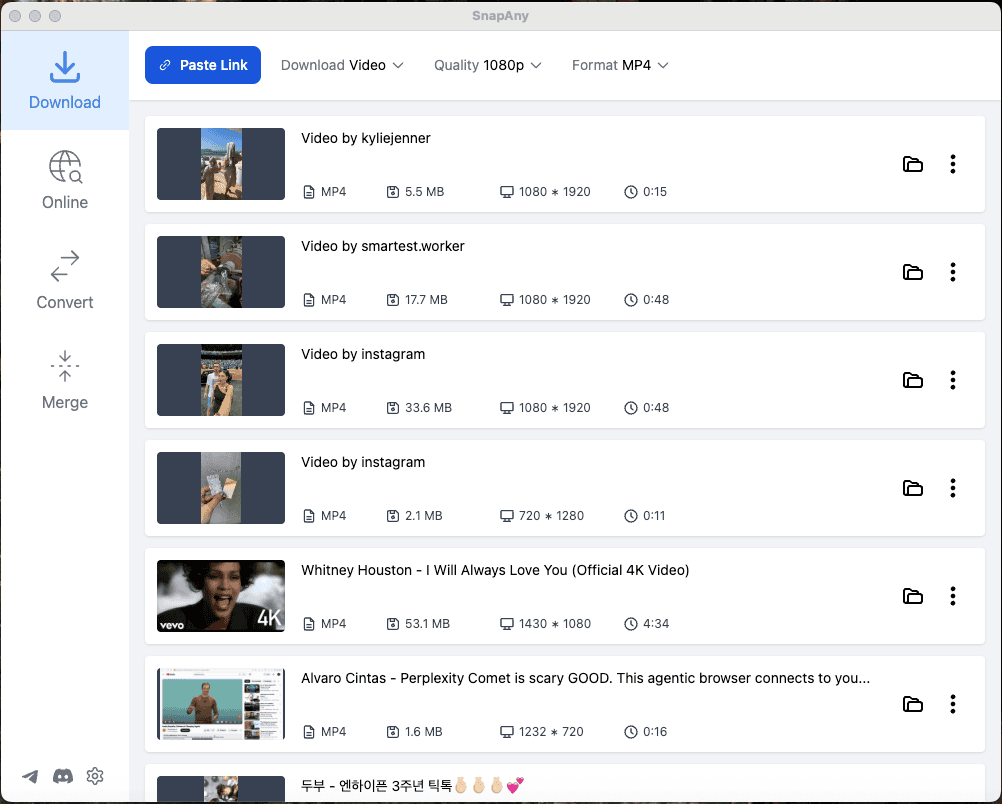
Many users are frustrated that Instagram gives them no way to save a video. That is what SnapAny is for: a video and audio downloader that runs right in your browser, and also comes as a desktop app for Windows and macOS.
Before you start, here is how it is priced, so you don't find out at the last step. Downloading from Instagram is a Premium feature. On the web you need to sign in and subscribe; the desktop app gives every device 2 free extractions, and asks for Premium after that. Bulk download and profile or playlist downloads are Premium features too. Format conversion and video and audio merging are free to use.
If you want something free to use right now, downloading from YouTube, TikTok, X (Twitter), Reddit, Pinterest, Bilibili, Vimeo and other major platforms is free on the web, with no sign-up and no limit on how many videos you download.
With Premium, SnapAny downloads high-quality videos from Instagram: 8K, 4K, 2K, 1080p and 720p, in the common video formats. The downloaded videos are saved directly to your own folder, so you can watch or share them at any time. Your personal information stays protected.
Using it is simple. Copy the link of the video you want, paste it in and click the link extraction button to get the corresponding video.
Give it a try: start with one of the free platforms on the web, and upgrade when you need Instagram.